%20(28).png?width=1200&height=628&name=Copy%20of%20Copy%20of%20MS%20-%20Featured%20Image%20Template%20%20(1200%20x%20628%20px)%20(28).png)
Planning a migration to HubSpot? It could potentially be the best business move you ever make due to the innumerable benefits it offers. Business agility. CRM adoption. Data consolidation. Clean data. It’s an enviable position to be in for any savvy business owner.
Undeniably, a Salesforce to HubSpot migration can be hugely advantageous, but it’s a complex process that requires a blend of proficient technical expertise and experience for a smooth undertaking.
Without it, you expose yourself to an array of failures that appear after the records have transferred, in the history, rules, stages, objects and reports attached to them.
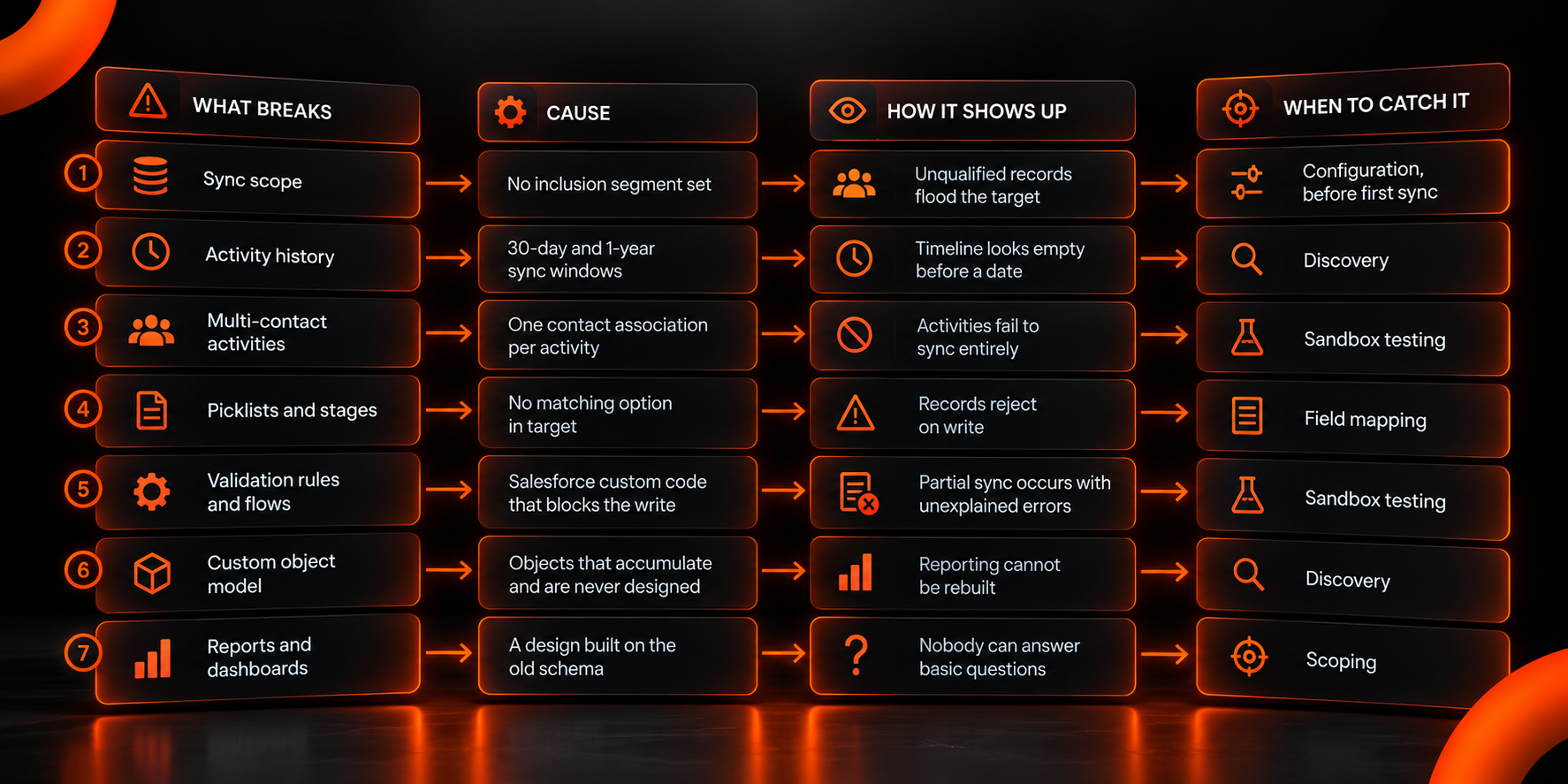
In this blog, we’ll show you the seven points where enterprise Salesforce-to-HubSpot migrations most often break, what causes each one, how it shows up after go-live and the stage of the project where it can be prevented.
What Breaks When Enterprises Migrate From Salesforce to HubSpot?
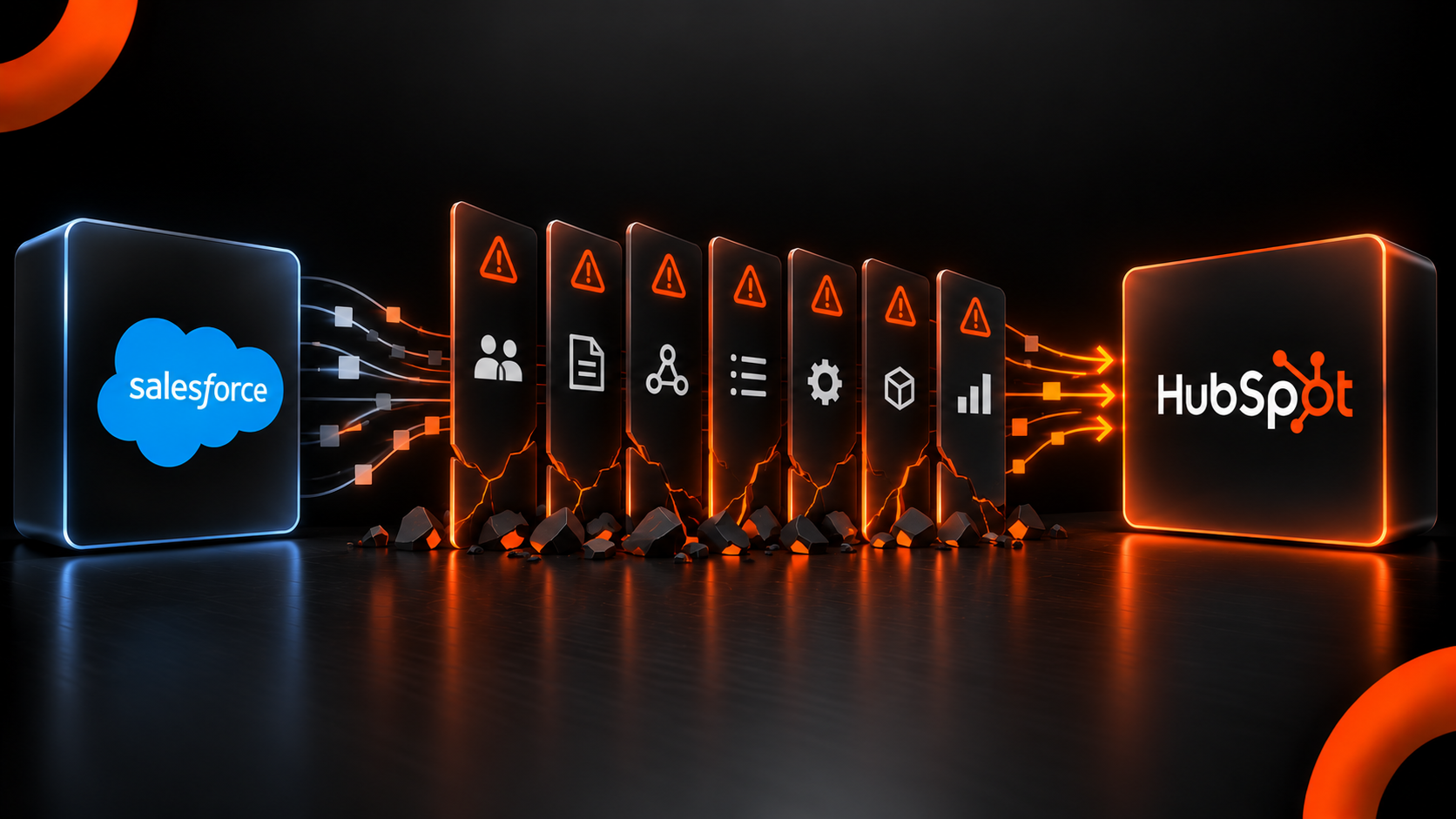
There are seven failure points in enterprise Salesforce-to-HubSpot migrations: the default sync scope, activity history outside HubSpot's documented time windows, activities with multiple contact associations, picklist and pipeline stage values, Salesforce validation rules and flows that reject the write, the custom object model and every report and dashboard built on the old schema. None of them is a data transfer problem. All of them are decided before the transfer runs.
The Seven Failure Points and Their Causes
1. The Default Sync Scope Sends Every Contact
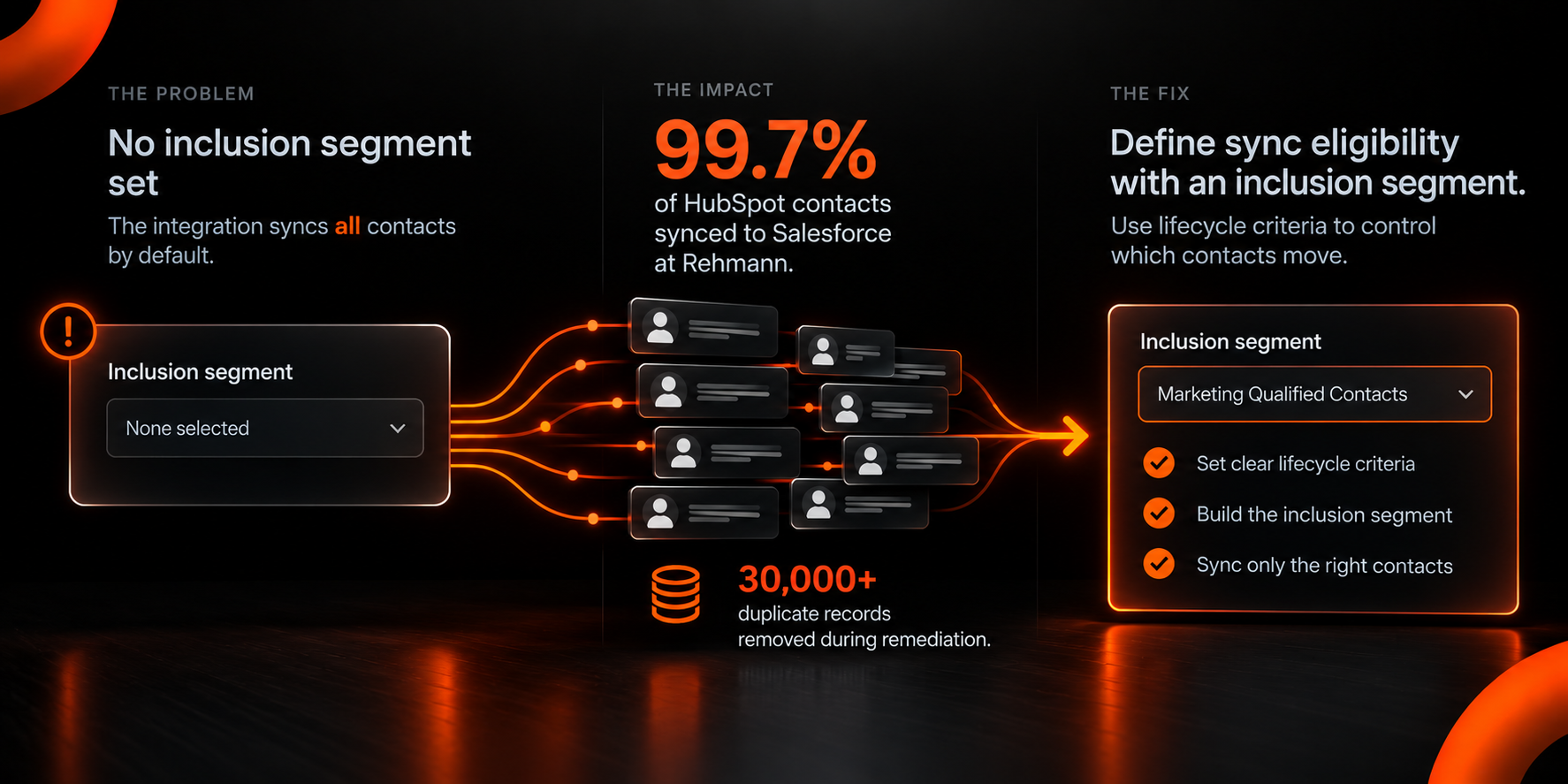
HubSpot's documentation is unambiguous about the default: If no inclusion segment is selected, all HubSpot contacts will sync to Salesforce. An inclusion segment is a filtered group that controls which records move. When left unset, the integration does exactly what it was designed to do and at a scale nobody asked for.
Rehmann, a 1,000-employee advisory and asset management firm, ran both systems with 99.7% of HubSpot contacts syncing automatically into Salesforce. More than 30,000 duplicate records were removed during the remediation, and the same person routinely existed as a client in one system and a lead in the other.
Neither a bug nor a volume problem explains this one. The integration was configured correctly against criteria that had never been defined.
What prevents it: Define lifecycle criteria for sync eligibility during configuration, then build the inclusion segment from those criteria rather than from whatever filter is convenient.
2. Activity History Arrives on a Clock, and the Clock Starts at Sync
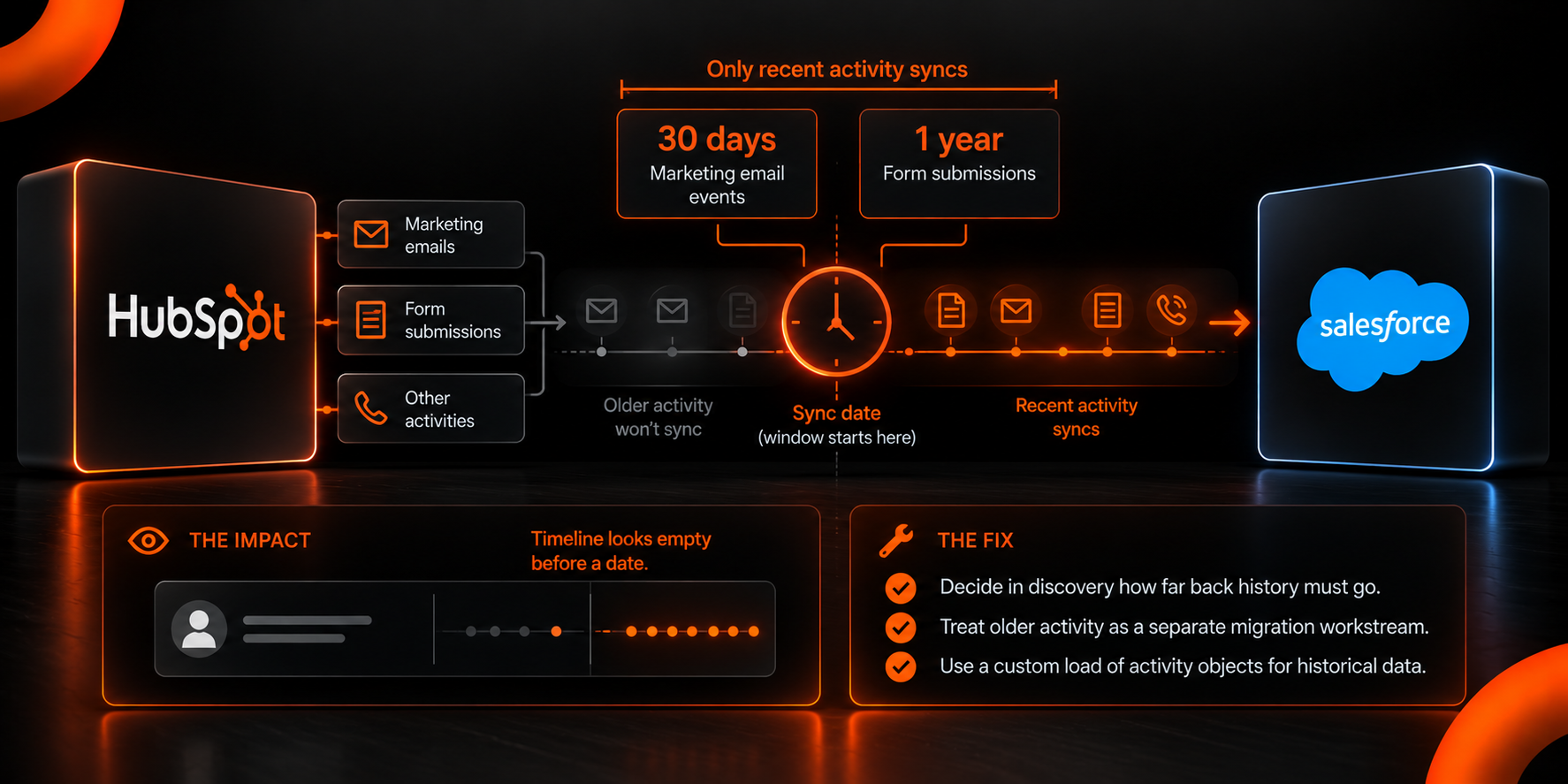
Timing is the whole story here, and the windows are published. HubSpot's documentation states that only marketing email events that occurred within 30 days of the contact being synced and only form submissions that occurred within 1 year of the contact being synced will sync to Salesforce.
Read that carefully because the window is measured from the sync date and not from today. A contact synced in March carries form submissions back to the previous March and marketing email events back 30 days. Everything older is outside the scope and doesn’t appear.
Teams discover this when a salesperson opens a long-standing account and finds a timeline that begins arbitrarily. The record is correct, but the history is partial.
What prevents it: Decide in discovery how far back history must go, and treat anything beyond the native windows as a separate migration workstream with its own method, usually a custom load of activity objects.
3. An Activity Associated With Two Contacts Doesn’t Sync
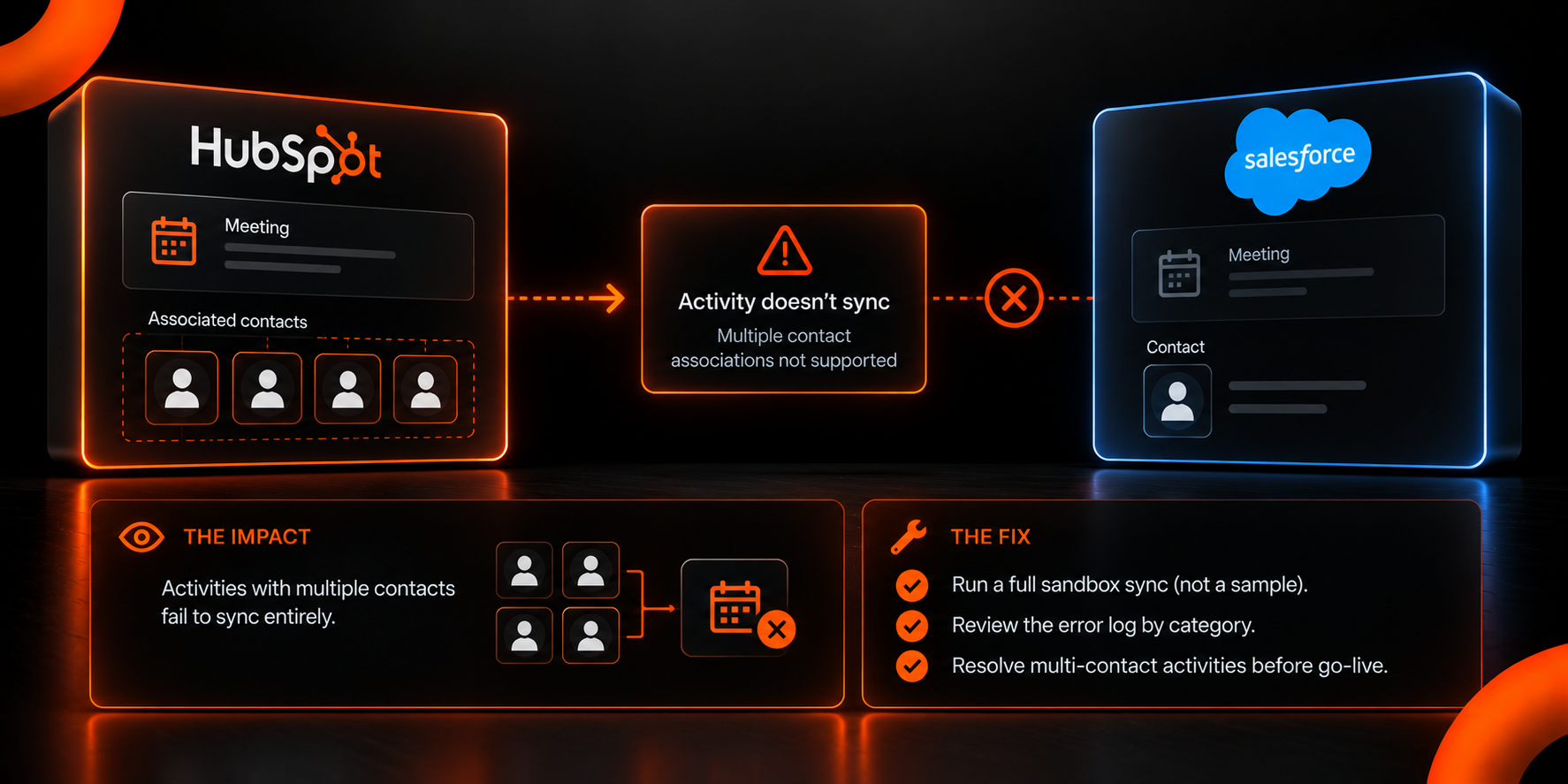
The consequence here is total rather than partial. HubSpot publishes this as the association cardinality mismatch error, which occurs when an activity associated with multiple contacts in HubSpot attempts to sync to Salesforce. The documentation explicitly states the reason: The integration supports syncing only one contact association per activity.
Enterprise sales activity is rarely one-to-one. A meeting with four stakeholders or a call with a client and their adviser is normal, but only one contact can sync.
The volume of affected records is usually invisible until a sandbox run produces an error log. By then, the fix is cheap. After production cutover, it’s a reconciliation exercise.
What prevents it: Run a full sandbox sync rather than a sample, and read the error log by category before go-live.
4. Picklist Values and Pipeline Stages Reject Records on Write
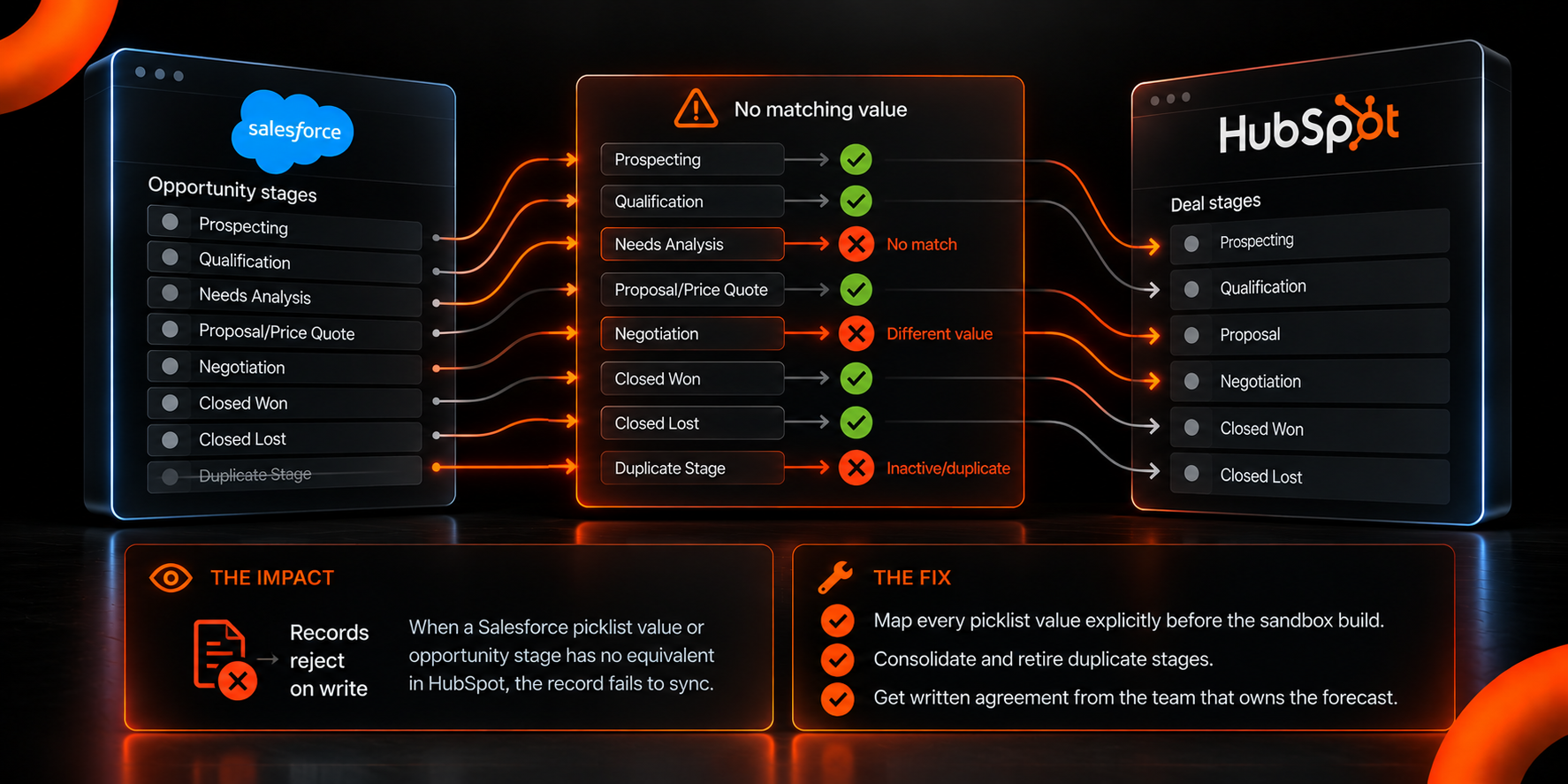
When a Salesforce picklist value has no equivalent in HubSpot, the record fails. HubSpot groups these failures under picklists in its sync error taxonomy, which covers items such as mismatched values and inactive owners and stages.
Opportunity stages are the common case. Salesforce opportunity stages accumulate over years, often with duplicates and stages that mean different things to different regions. Mapping them one-to-one into HubSpot deal stages reproduces the mess. Mapping them thoughtfully requires someone with the authority to retire a stage, which is a commercial decision rather than a technical one, and it’s why complex sales pipelines take longer to implement than record counts suggest.
Inactive owners are the quieter version of the same problem. A record owned by a deactivated Salesforce user has nowhere to land.
What prevents it: Map every picklist value explicitly before the sandbox build, and get written agreement on stage consolidation from whoever owns the forecast.
5. Salesforce Validation Rules and Flows Reject the Write From the Outside
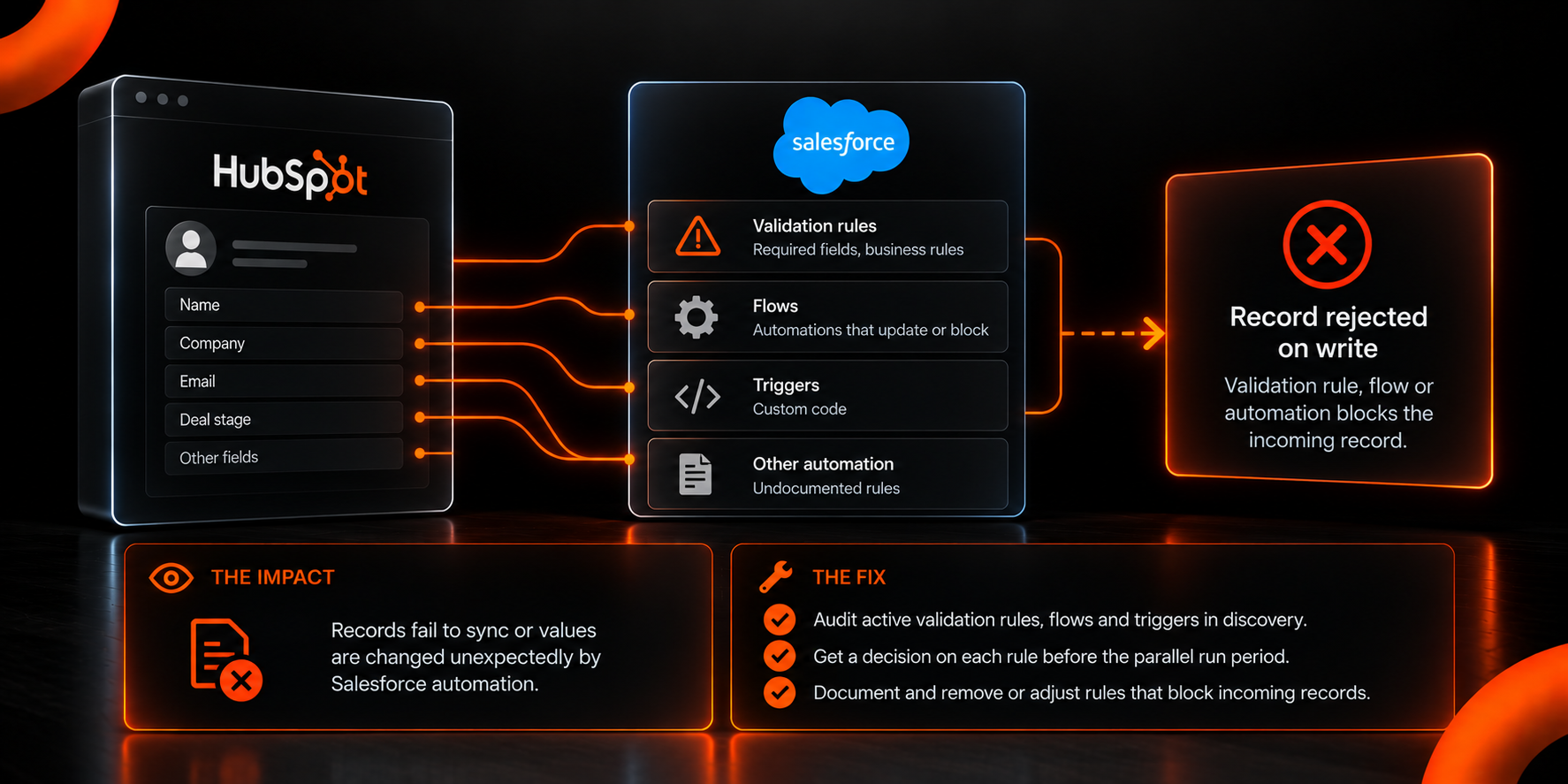
Compared with the failures above, this one originates in the system being left behind. HubSpot's error taxonomy includes a custom code category that includes Salesforce automation, validation rules and flows that block an incoming write.
A required field enforced by a validation rule nobody remembers creating will stop a sync. A flow that fires on record update can rewrite a value immediately after it arrives and produces a field that appears to revert on its own.
These rules are usually undocumented, which is why they surface during testing rather than planning and why enterprise CRM implementation across global sales teams carries more audit work than a single-region build. Nobody writes down a validation rule added four years ago to solve a problem that no longer exists.
What prevents it: Audit active validation rules, flows and triggers in the Salesforce org during discovery, and get a decision on each one before the parallel-run period begins.
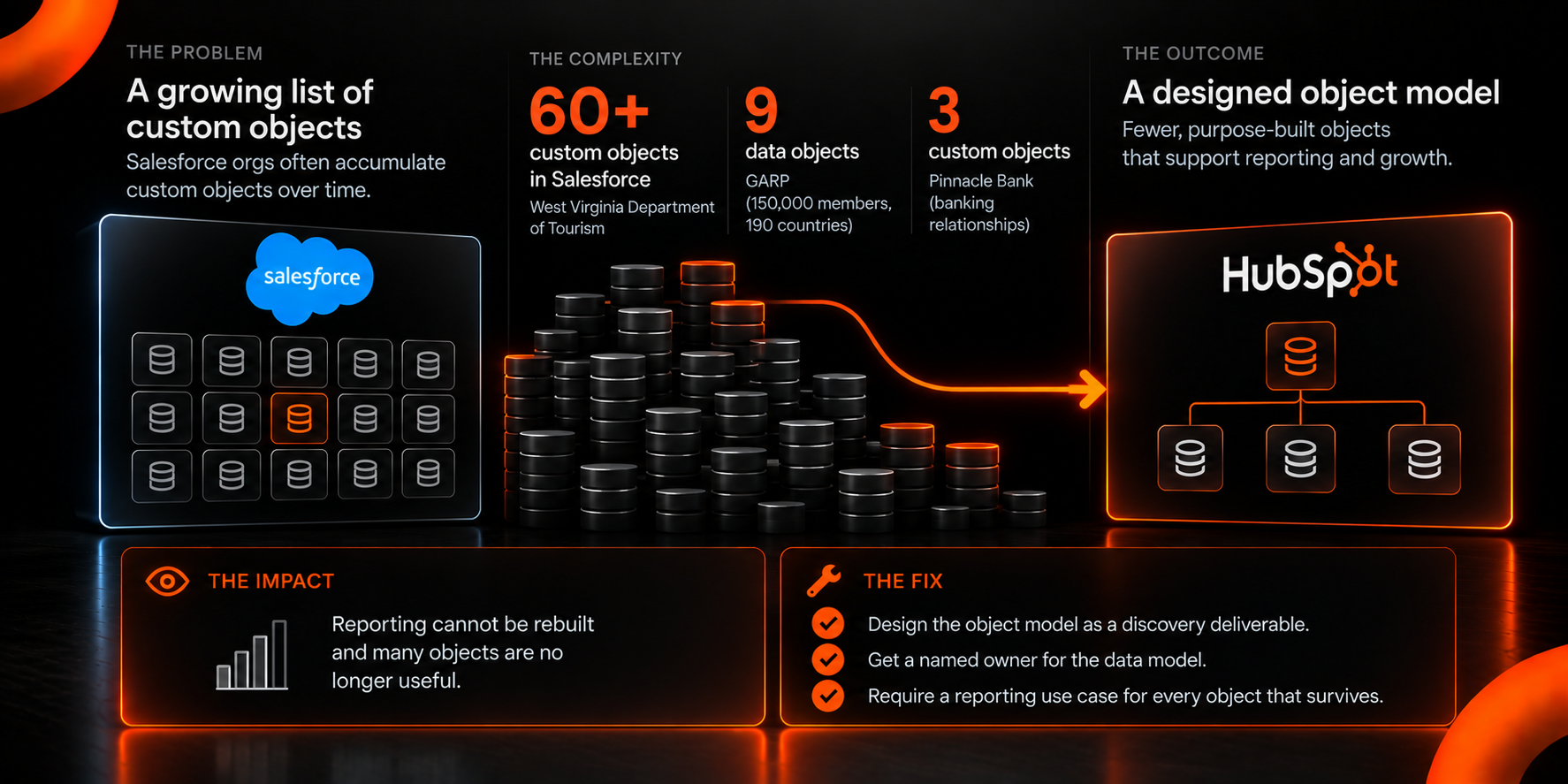
6. The Custom Object Model Gets Rebuilt
Count the custom objects in the Salesforce org first, as that number tends to be the single best predictor of project complexity. Custom objects in HubSpot require an Enterprise subscription, specifically Marketing, Sales, Service, Content, Data Hub Enterprise or Smart CRM Enterprise. Below that tier the capability does not exist, which makes the license check a prerequisite rather than a detail. Either way, the data model is designed rather than copied.
The West Virginia Department of Tourism arrived with Salesforce carrying 60+ custom objects, which the rebuild reduced to fewer than 10. GARP configured 9 data objects with real-time syncing across a 150,000-member association operating in 190 countries. Pinnacle Bank's build used three custom objects for banking relationships.
A reduction from 60 to 10 is not data loss. Most of those 60 objects existed because Salesforce made it easy to add one, and the reporting layer had long since stopped being able to use many of them.
What prevents it: Treat object model design as a discovery deliverable with a named owner, and require a reporting requirement to justify every object that survives.
7. Reports and Dashboards Are Rebuilt From Scratch, and the Scope Is Routinely Underestimated
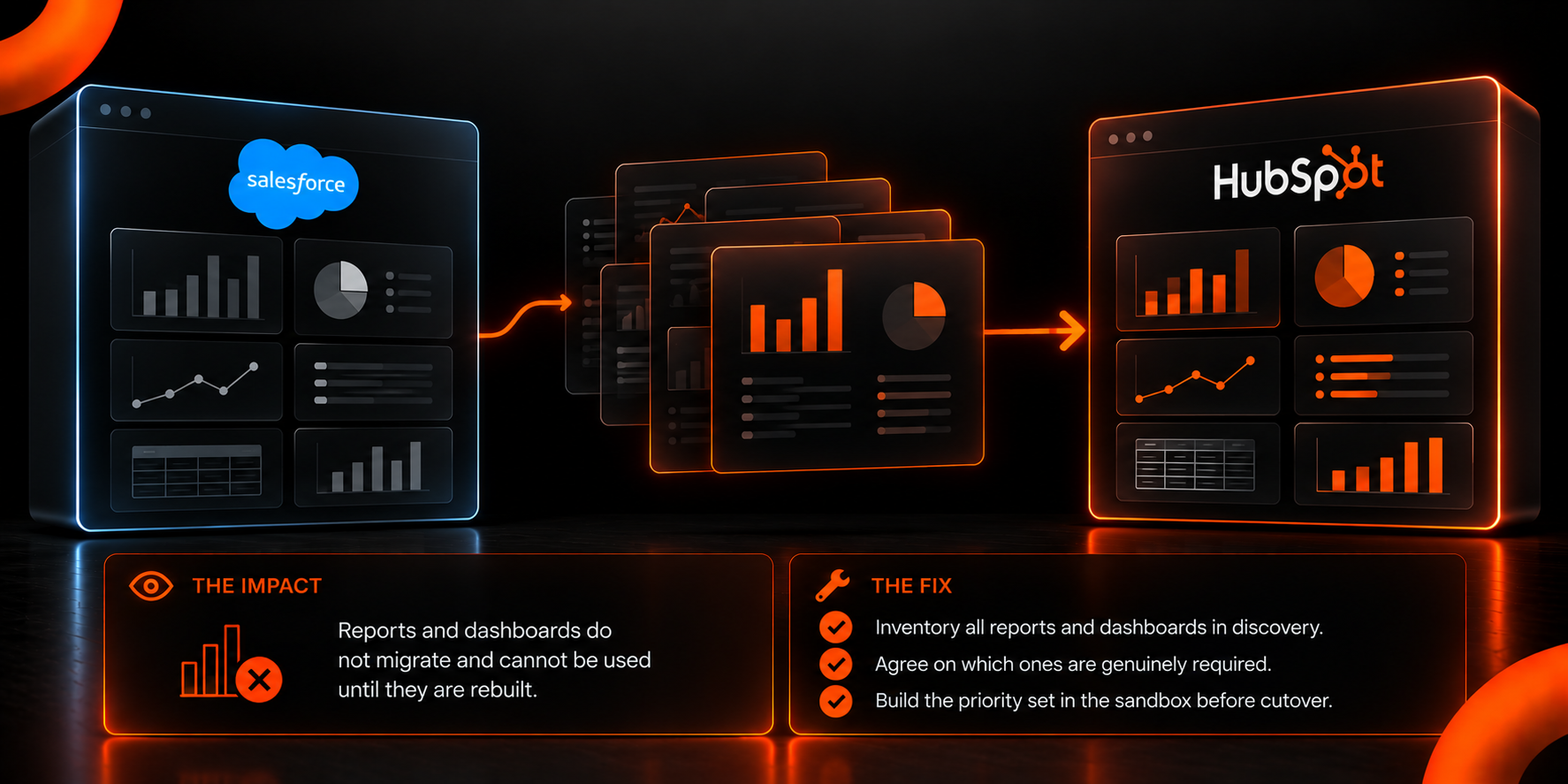
The scale of this one is measurable, and it’s larger than most plans allow. GARP's migration involved 129 Marketing Cloud email templates converted, 21 Marketing Cloud journeys rebuilt as HubSpot workflows, 24 custom dashboards and 9 Data Studio reports. The West Virginia build produced 124 automated workflows and 100+ custom tracking events.
Reports do not migrate because they are built on a schema that is changing. A dashboard that counts opportunities by a stage being retired cannot be ported, only recreated against the new model.
The cost of underestimating this is specific: For the first weeks after go-live, nobody can answer routine questions, and confidence in the new system drops at exactly the point adoption is being established. Reporting gaps after an enterprise integration are the most common post-migration complaints, and they are usually a scoping failure rather than a technical one.
What prevents it: Inventory every report and dashboard in active use during discovery, and agree on which ones are genuinely required. Build the priority set in the sandbox before cutover rather than after.
How Should a Salesforce-to-HubSpot Migration Be Sequenced?
The sequence below puts each check ahead of the failure it catches.
- Discovery across both systems. Inventory objects, fields, picklist values, active automation, reports in genuine use and the age of history that must survive.
- Object model design. Decide what the new model looks like before mapping to it. This is the step most often skipped.
- Field mapping with explicit picklist decisions. Every value gets a destination or a documented retirement.
- Sandbox build and full sync. Perform a full run, not a sample, with the error log read by category.
- Priority reporting rebuilt in the sandbox. If the reports can’t be built there, the model is wrong.
- Parallel run with an inclusion segment. Scope the run deliberately, with the Salesforce automation audit already resolved.
- Cutover, then the historical activity load. History is a separate workstream and is run after records are stable.
Two things distinguish this from a typical plan. Object model design sits before field mapping rather than after it, and reporting gets built in the sandbox instead of treated as post-launch work.
How Does Mole Street Run an Enterprise Salesforce Migration?
Mole Street sequences Salesforce migrations around the object model and the error log rather than the record count, and the same discipline applies when a migration coincides with a rebrand or a consolidation of two tech stacks. Discovery produces a map of every field that more than one system can write to, and the sandbox run is treated as a gate and not a formality.
That approach is why the Rehmann engagement ended with 30,000 duplicate records removed and sync restricted to sales-eligible contacts and beyond. It’s also why ACT, Inc. could centralize 3 million contacts from Marketo, Salesforce, On24 and Cvent into a single connected model.
The practical considerations for a Salesforce replatform are covered in more depth in what to consider before a Salesforce-to-HubSpot migration and the provider evaluation criteria in what to look for in HubSpot migration services.
All 7 Failures Are Predictable and Preventable if the Checks Happen Early
A Salesforce-to-HubSpot migration can run smoothly when the preparation is thorough and the team running it has enterprise migration experience. HubSpot documents each of these failures in its published sync limits and error categories, so every one of them can be identified and prevented before cutover.
Every enterprise migration runs into several of these limits. The projects that run over budget or miss their go-live date are the ones that find them in production, after Salesforce has been switched off, when the only fixes left are manual rework. The ones that stay on schedule find the same limits in discovery and a sandbox test, while they are still cheap to fix. Most of what breaks was decided before anything was moved, in the choices about what should move at all.
Planning a move off Salesforce? Let's talk about your object model, your automation audit and how far back your history needs to reach. Mole Street delivers HubSpot migrations and replatforming services for enterprise organizations in regulated industries.
Frequently Asked Questions
How long does a Salesforce-to-HubSpot migration take for an enterprise team?
HubSpot states that most replatforms complete within three months. Multisystem enterprise projects run longer: GARP's migration covered 1 million contacts, 2,500 web pages and 21 rebuilt journeys; and Pinnacle Bank's took roughly 5 months across 10+ source systems.
Do you have to run Salesforce and HubSpot in parallel?
Not always, but it’s common in enterprise moves. A parallel period lets sales continue working while reporting is validated in the new system. It requires an inclusion segment to control what syncs, and it extends the project, so the duration should be decided deliberately rather than by default.
What happens to Salesforce custom objects in HubSpot?
They’re redesigned instead of copied. Custom objects in HubSpot require an Enterprise subscription, and most Salesforce orgs carry far more custom objects than the new model needs. Expect consolidation, and require a reporting requirement to justify each object that survives.
Can you migrate Salesforce reports and dashboards directly?
No. Reports are built on the source schema, and the schema changes during migration. Every report has to be rebuilt against the new data model, which is why an inventory of reports in genuine use belongs in discovery rather than after launch.
Will deactivated Salesforce users cause sync problems?
Yes. Records owned by inactive Salesforce users fall under HubSpot's picklist error category and will not sync cleanly. Reassign ownership for affected records before the parallel run begins.
Is it better to migrate from Salesforce in one cutover or in phases?
A single cutover is faster and cheaper when Salesforce can be switched off at a defined date. A phased approach is appropriate when other systems depend on Salesforce as a source, in which case a sync layer is part of the architecture for the duration of the overlap.