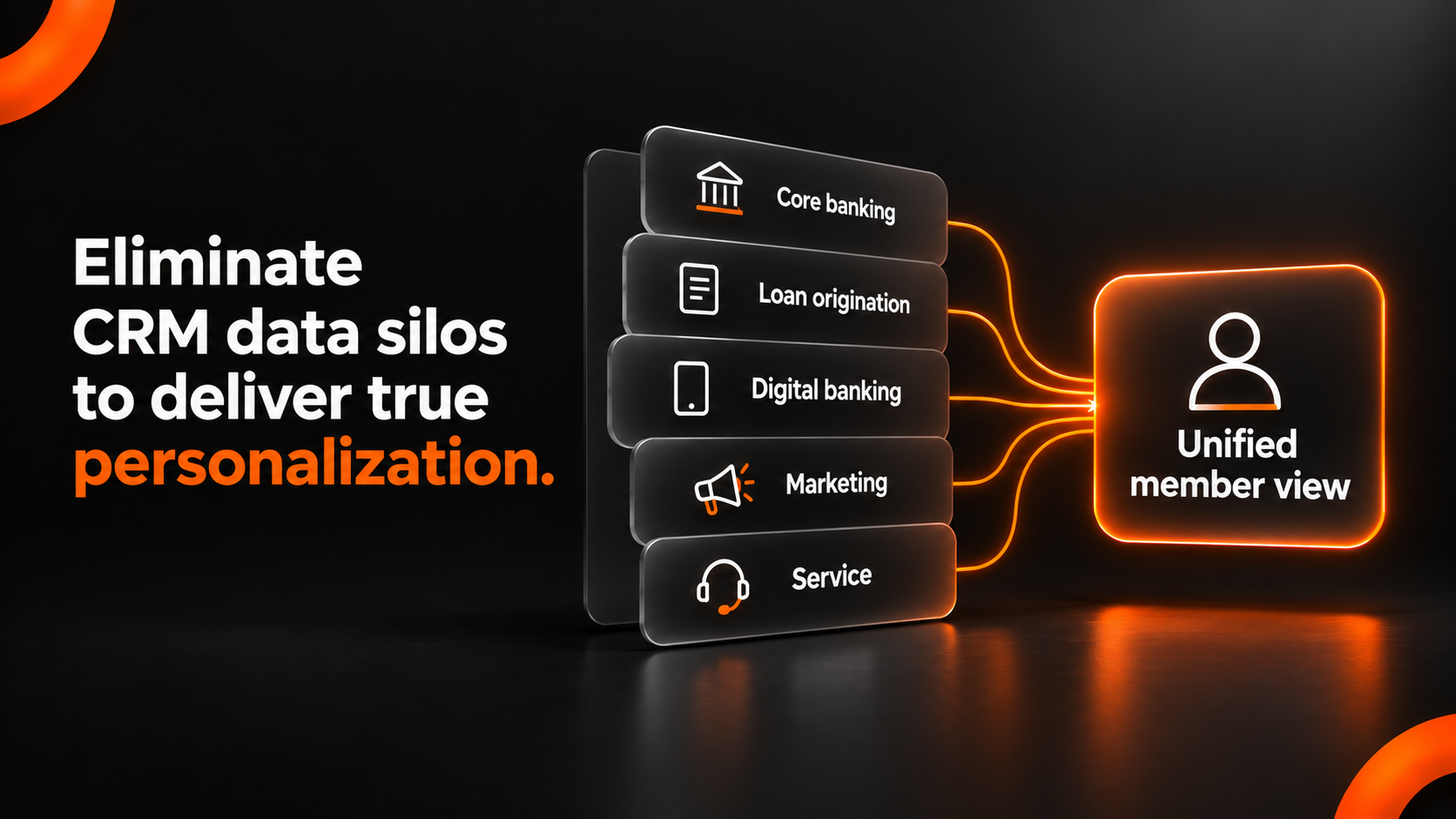
Personalization is one of the best levers a credit union can pull to strengthen member relations. Members now hold every provider to the standard set by the apps they use daily, and they expect their credit union to follow their activity, understand their needs, and align its products and services with their financial goals.
But achieving this is easier said than done. Many credit unions want to deliver it but fall short because of the CRM data silos in their tech stack. The checking account, the auto loan, the mortgage application, the mobile app activity and the last service call all exist somewhere.They just do not exist in the same place, so the marketing platform sees a name and an email address and nothing else.
CRM data silos are an integration problem, which means each cause has a specific fix. This guide covers what causes them, the five steps that eliminate them, and the connected data a unified member view requires.
Key Takeaways
- What causes CRM data silos: Member data lives in core banking, loan origination, digital banking, marketing and service systems that were never built to share it.
- How to eliminate them: Build a hub-and-spoke integration into one CRM, a member and household data model, near real-time sync for trigger data, one shared member definition, and governance.
- Whether you need a new core: You do not need to replace your core banking system to get a single member view.
What Causes CRM Data Silos at Credit Unions?
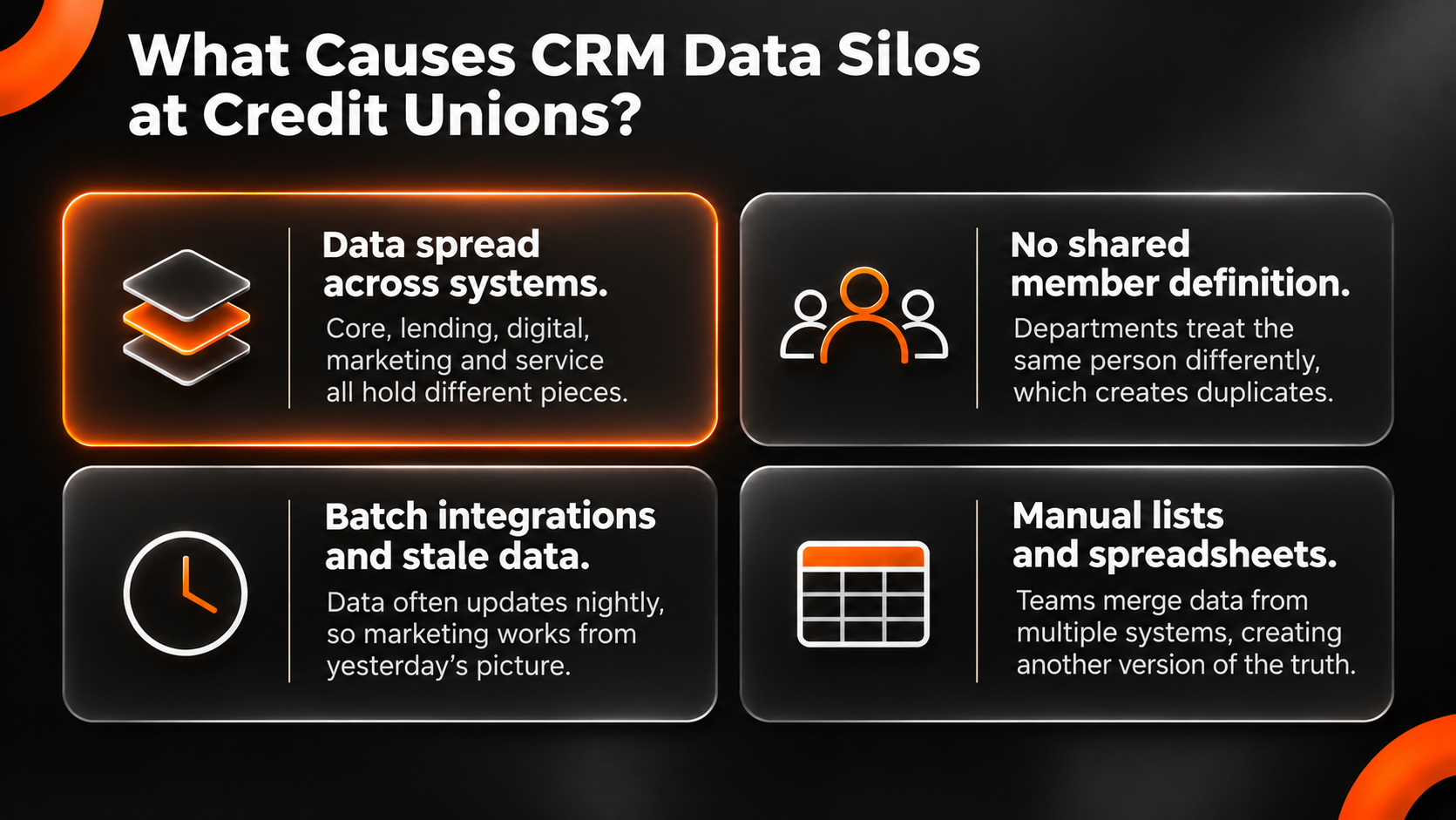
CRM data silos at credit unions come from member data being spread across systems that were never designed to share it, combined with no agreed definition of who a member is. Four causes show up in almost every credit union we work with.
- Member data is split across core banking, loan origination, digital banking, marketing and service systems. Each system was bought to do one job well. The core holds accounts and balances. The loan origination system holds applications and decisions. Digital banking holds login and feature usage. Marketing holds email engagement. Service holds cases and call notes. None of them was built to hand a complete member record to the others.
- There is no shared member or household definition across departments. Lending may treat a member as an applicant, marketing as a contact, and the branch as an account holder. When two systems disagree on who the person is, the CRM cannot reliably match records, and duplicates and gaps multiply.
- Integrations are batch-based or weak, so the data goes stale. A nightly file that moves balances and product holdings means marketing is always working from yesterday's picture. A member who paid off a loan this morning can still receive the loan promotion tomorrow.
- Manual list-building and spreadsheets fragment the data further. When a campaign needs a segment the CRM cannot produce, someone exports from three systems and merges them in a spreadsheet. That file becomes its own copy of the truth, and it starts aging the moment it is saved.
These causes compound each other. Weak integrations push teams toward spreadsheets, spreadsheets create more versions of the member, and more versions make it harder to agree on a definition. Canyon View Credit Union, which serves more than 130,000 members in Utah, had member data split across four systems: Symitar held core records, Synapsys held referrals, Glia held call activity and Salesforce Marketing Cloud held marketing data.
Keeping them aligned took daily manual file uploads, SQL joins and constant cleanup. Connecting Symitar to HubSpot through Datava gave the team one member record to work from, with the added complication of member and household relationships handled in a custom data model (more on that below).
If you want the broader mechanics of how disconnected platforms form in the first place, our guide to data silos walks through the general case.
How Do You Eliminate CRM Data Silos at a Credit Union?
You eliminate CRM data silos by connecting your systems into one source of truth, modeling the member and household properly, moving trigger data closer to real time, agreeing on one member definition, and governing it so the problem does not return. Work through these five steps in order, because each one depends on the one before it.
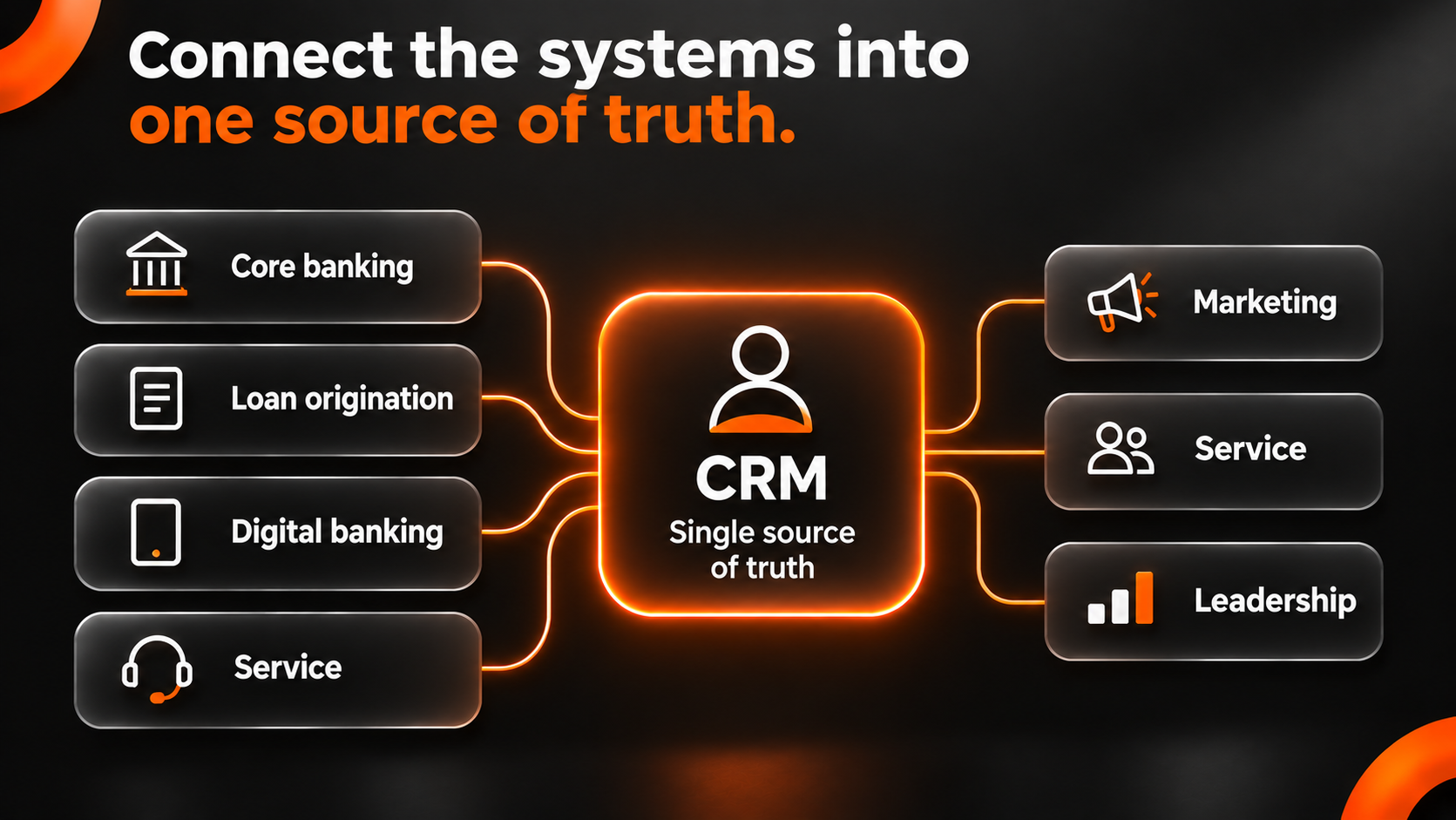
1. Connect the systems into one source of truth
Use a hub-and-spoke integration, with the CRM as the hub, instead of building point-to-point connections between every pair of systems. Point-to-point works when you have three systems. With seven or eight, you maintain dozens of connections, and every change to one system risks breaking several others. In a hub-and-spoke model, each system connects once to the hub, and the hub holds the unified record that marketing, service and leadership all read from.
Closed core banking systems are the usual sticking point, since many do not offer easy data access. This is where our partnership with Kinective matters: it gives us a practical route for extracting data from closed cores so it can feed the CRM without replacing the core. For the mechanics of keeping connected systems aligned, see our CRM data synchronization guide.
2. Model the member and household in the CRM
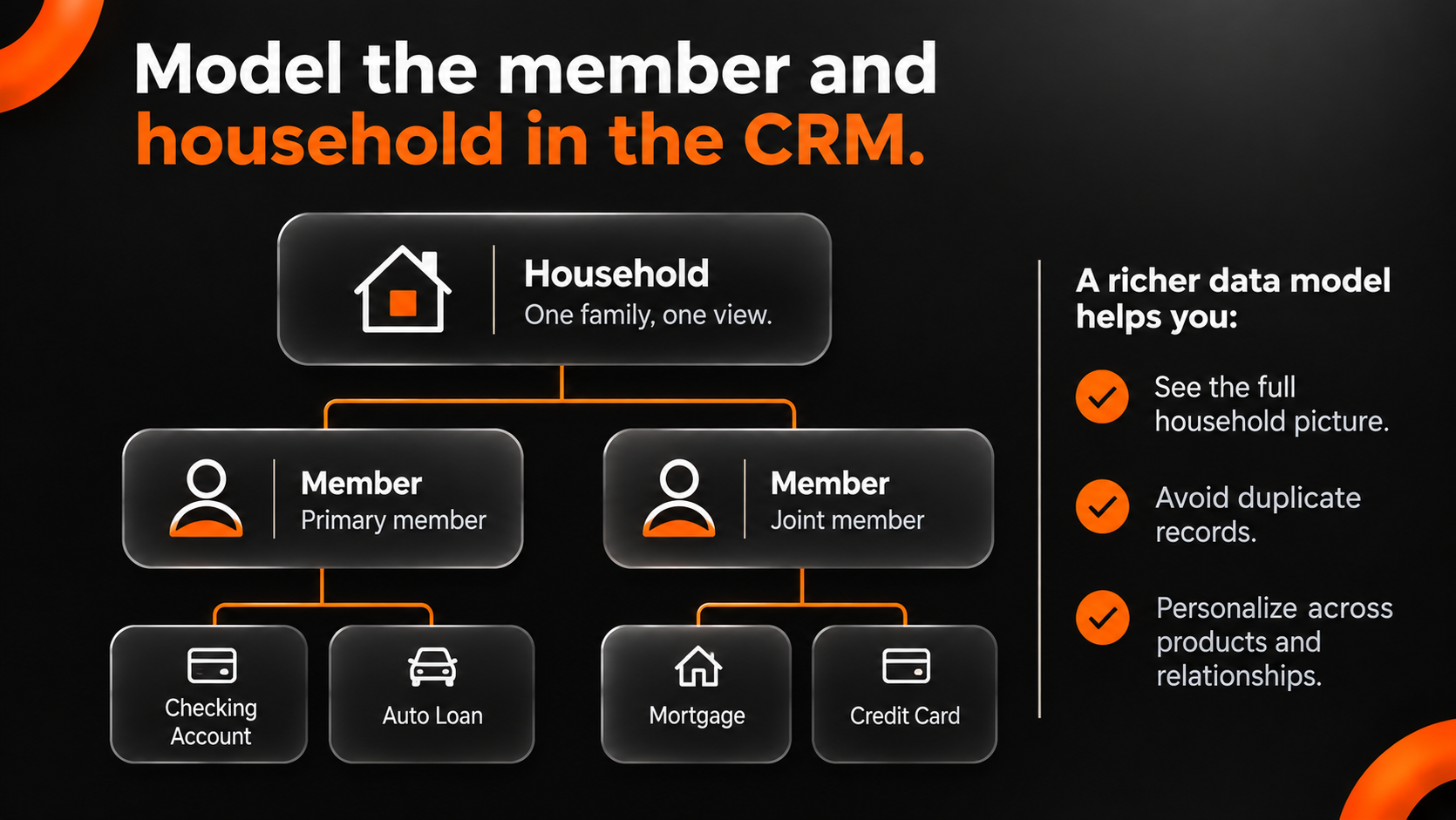
A flat contact record cannot represent how credit union members actually bank, so build a data model that reflects members and households. Standard CRMs assume one person, one email, one record. Credit union reality is different: spouses with joint accounts, parents with youth accounts, members with more than one email address, and relationships that cross products.
In HubSpot, this means deciding which object represents the member, which represents the household, and which represent accounts and loans, then defining how they associate. When the model is right, you can answer questions a flat record never could: which households hold a mortgage but no checking account, or which members share a household with someone who recently opened an auto loan. When it is wrong, the same family receives four copies of the same campaign.
3. Move report-critical and trigger data closer to real time
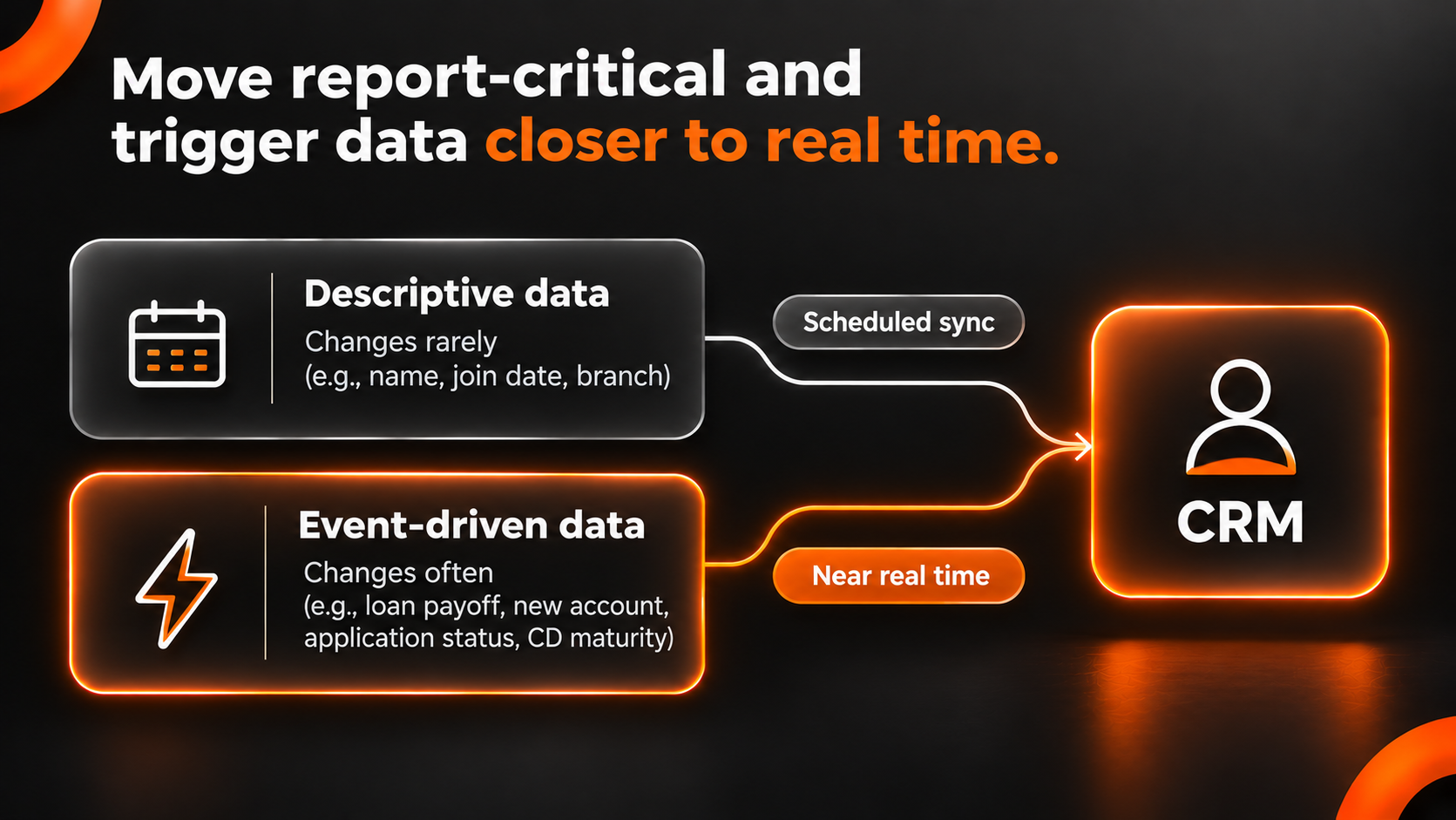
Not every field needs to sync instantly, but the fields that drive triggers and reporting should not wait for a nightly batch. Sort your data into two groups. Descriptive data that rarely changes (name, join date, branch) can sync on a schedule. Event-driven data (loan payoffs, new account openings, application status, CD maturity dates) should reach the CRM quickly enough that a journey can respond while the moment still matters to the member.
This keeps the integration scoped. You are not rebuilding your entire data pipeline for speed. You are choosing the handful of fields where timing changes the member's experience and syncing those on a faster cadence.
4. Agree one shared member definition across departments
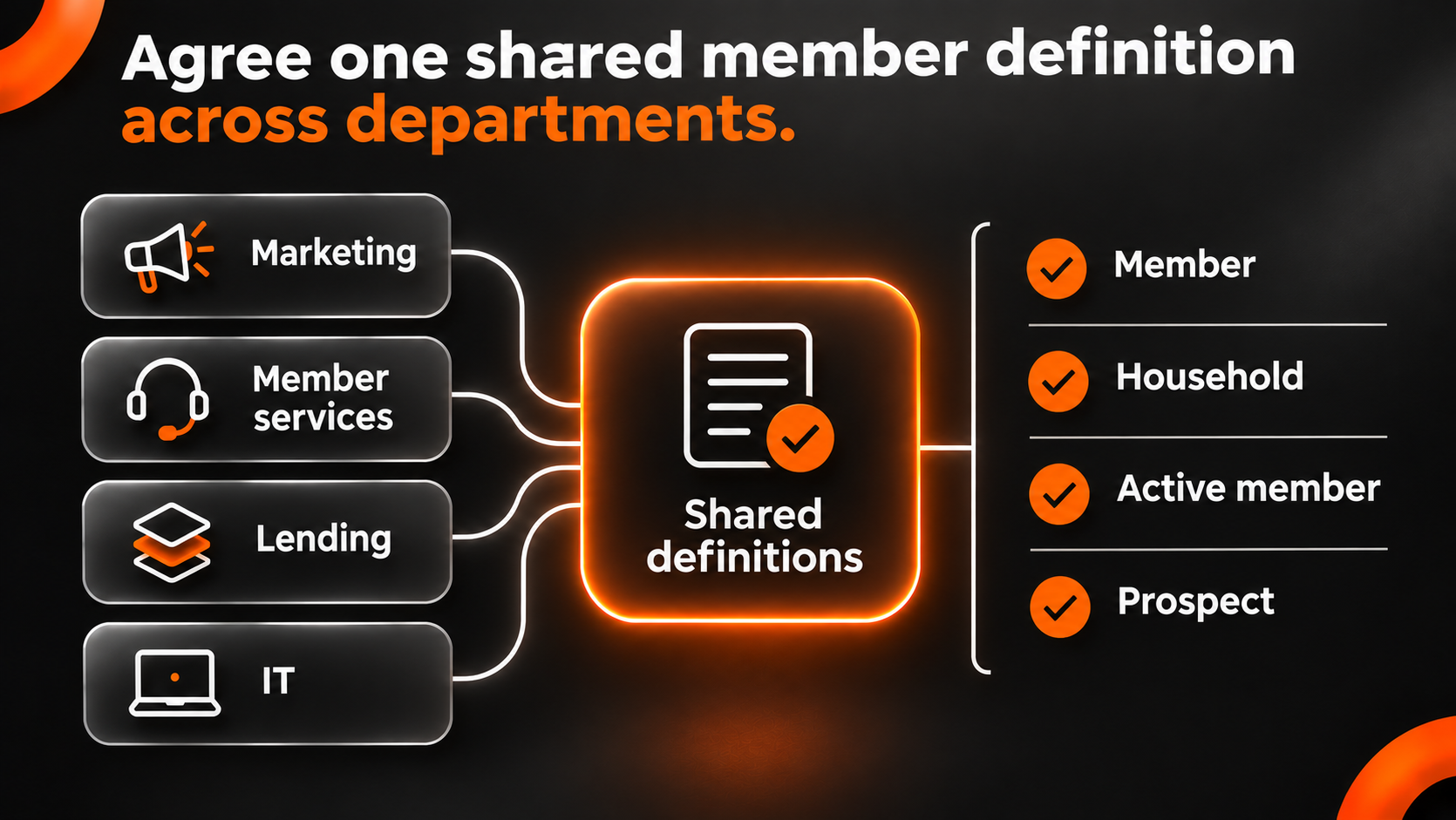
Decide, in writing, what counts as a member, a household, an active member and a prospect, and make every system and team use the same answers. This is the least technical step and often the hardest. If lending counts an applicant as a member and the core does not, reports will disagree and nobody will trust the CRM.
Start with a short working session between marketing, member services, lending and IT. Settle the definitions, the unique identifiers that tie records together across systems, and which system is authoritative for each field. Then build those decisions into the CRM's properties and matching rules so the definitions are enforced by the system, not remembered by people.
5. Govern it so silos do not reform
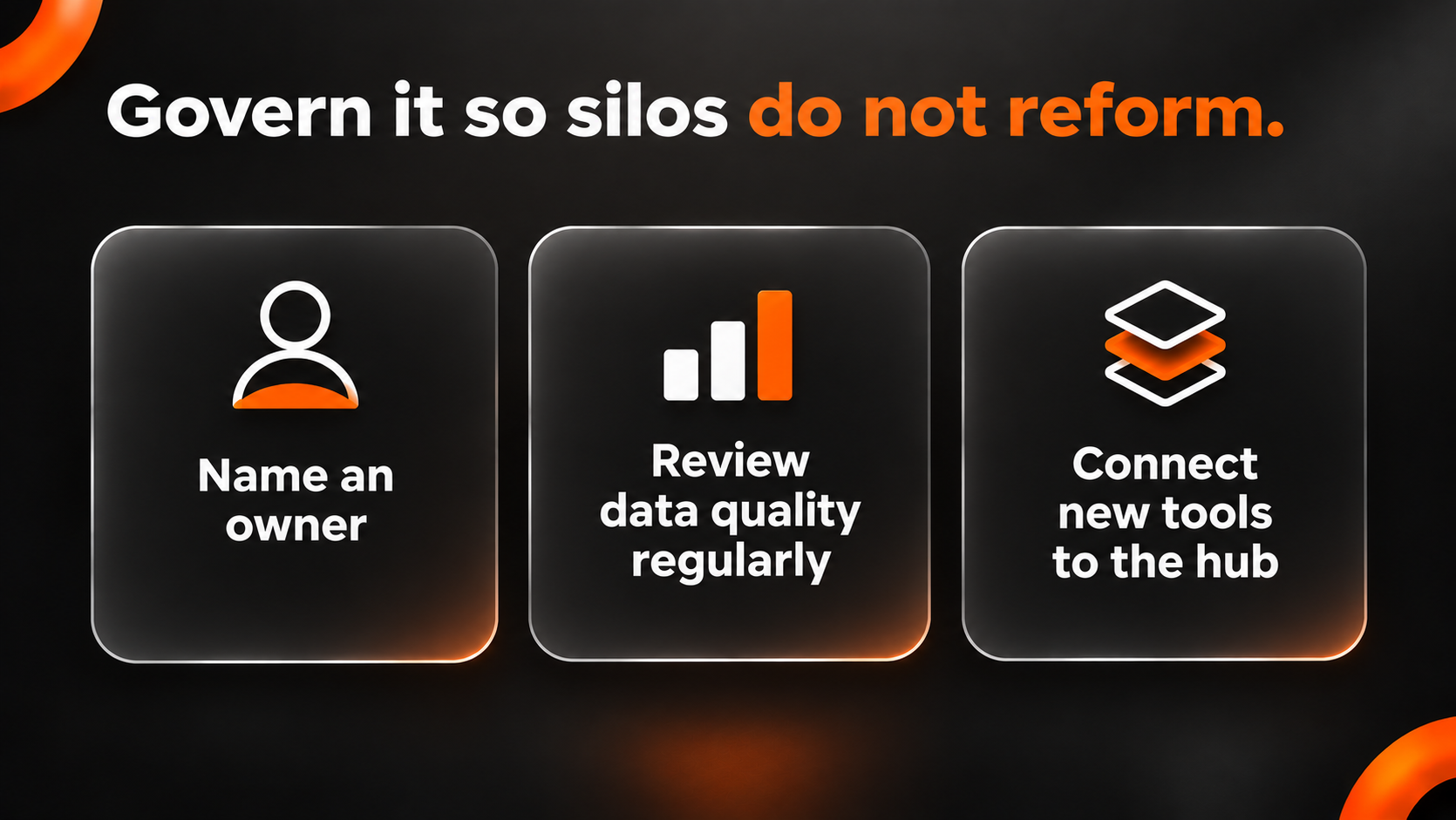
Assign ownership and ongoing checks, or new tools and new spreadsheets will recreate the same fragmentation within a year. Silos return when a new platform is added without being connected, or when a team builds its own list because the CRM was slow to deliver one. Name an owner for member data quality. Review duplicate rates and sync errors on a regular schedule. Require that any new system that touches member data connects to the hub before launch.
Governance does not need to be heavy. A short intake checklist for new tools, a monthly data quality review, and a clear owner for the member definition will prevent most of the drift.
What Does a Unified Member View Require?
A unified member view requires that every piece of data you want to personalize on is connected to the member and household record in the CRM. The table below maps common personalization goals to the connected data each one needs. If a row on the right is missing, the personalization on the left will be generic or wrong.
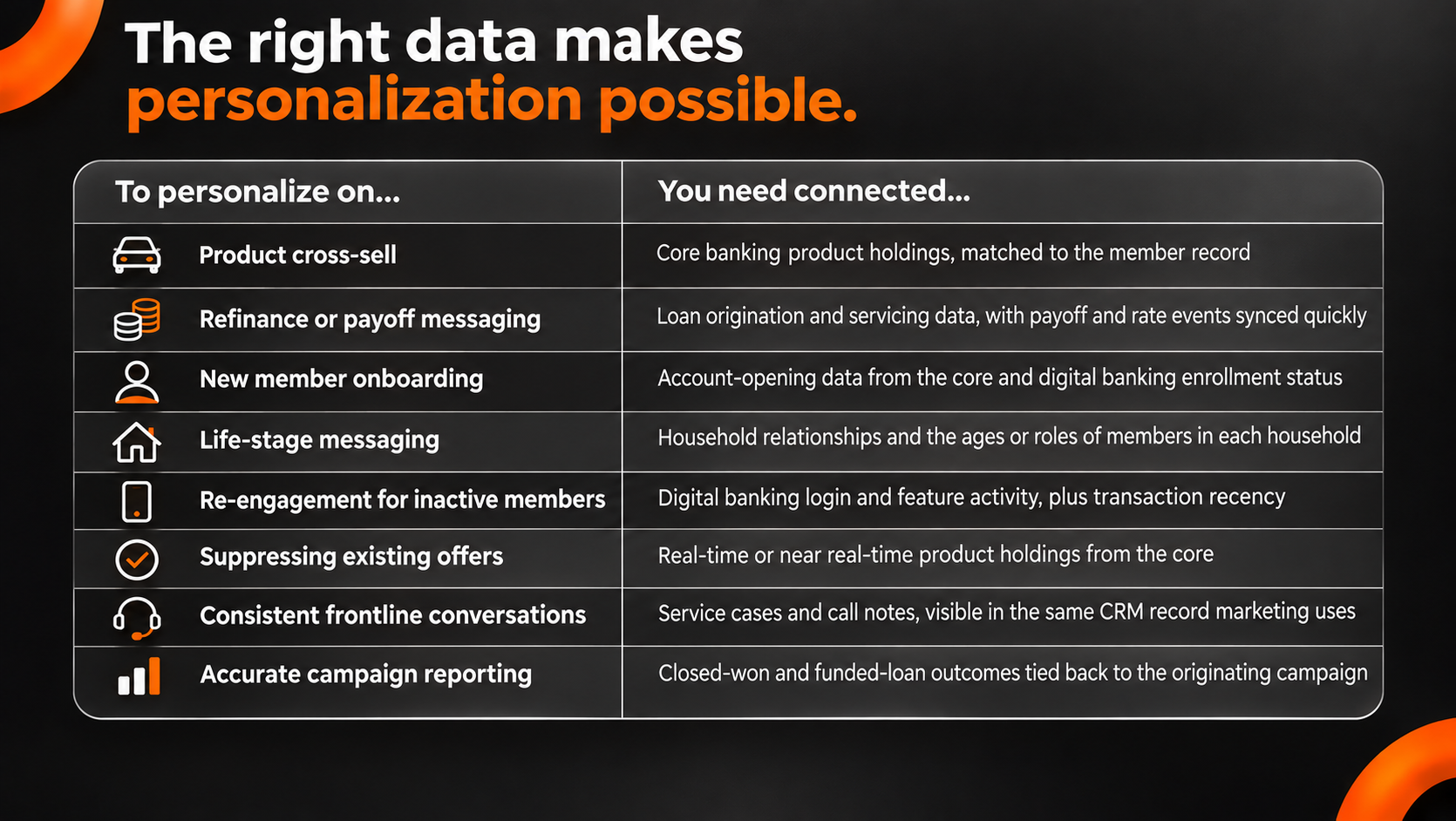
Notice what the table shows: none of the left-hand column is a content problem. Each one depends on a connection. A well-written email cannot compensate for a CRM that does not know what the member holds.
Conclusion
Eliminating CRM data silos at a credit union comes down to connecting the member's data so the CRM can see the whole member. It is not a content problem and it is not an email-tool problem, which is why teams that keep rewriting subject lines and rebuilding journeys see little improvement. The data that would make those journeys relevant sits in systems that do not talk to each other.
Start with the connection (a hub-and-spoke integration around one CRM), then give that CRM a model that understands members and households, sync the trigger data fast enough to matter, agree on what a member is across departments, and put governance in place so the work lasts.
Do those five things and personalization, segmentation and automation start working on real member information instead of guesses. Your teams also stop arguing about whose numbers are right, because there is one record to read from.
Frequently Asked Questions
What is a data silo in a credit union?
A data silo is a system holding member information that other systems cannot access or match. A common example is loan data stored in the origination system that never reaches the marketing CRM, so campaigns cannot see who has a loan, who is near payoff or who recently applied.
Why do credit union personalization efforts feel generic?
Personalization feels generic when the CRM only holds contact details and email engagement, not product holdings, household relationships or recent activity. Merge fields can insert a first name, but relevant content needs data about what the member has and does, and that data usually sits in the core, lending and digital banking systems.
Do you need to replace your core banking system to eliminate silos?
No, you can connect to your existing core instead of replacing it. A hub-and-spoke integration reads the data you need from the core and sends it to the CRM. For cores that restrict data access, tools and partners such as Kinective can extract the data so you can keep the core you have.
What is a single member view (member 360)?
A single member view is one CRM record that shows a member's products, relationships, interactions and activity across every system. It lets marketing, member services and lending work from the same picture, so the member is recognized consistently across channels.
How do household relationships affect credit union data?
Household relationships mean one family can span several member records, joint accounts and youth accounts, which a flat contact record cannot represent. Without a household model, the CRM may send duplicate campaigns to one family or miss cross-sell opportunities that only appear when you look at the household as a whole.