10 Services Your Banking CRM Implementation Can Include
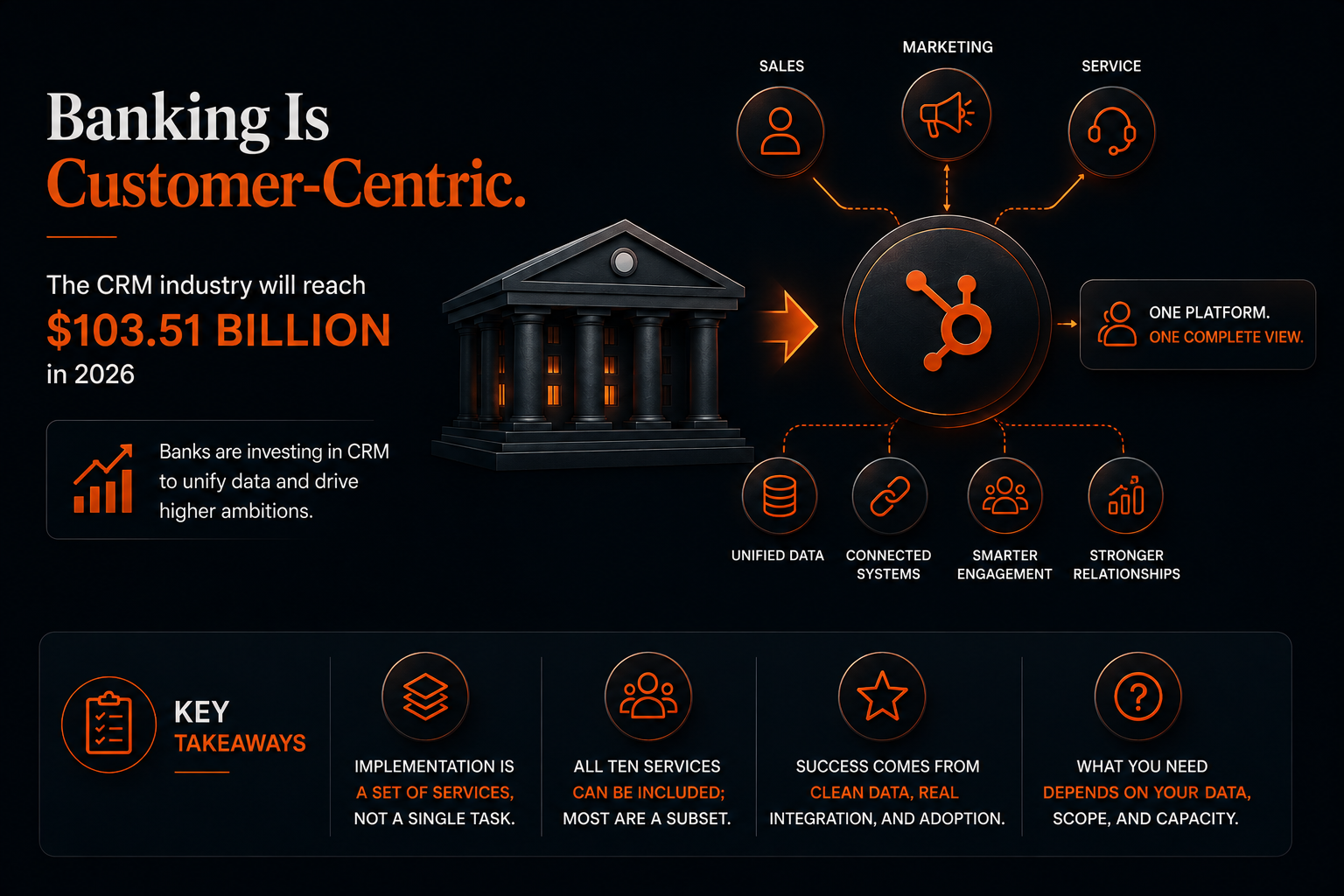
The CRM industry is forecasted to be worth a colossal $103.51 billion in 2026 as businesses scramble to centralize their customer relationship data. Banks are fast waking up to the same reality, that a complete view of every customer is now essential to reach their sky-high ambitions.
In response, many are turning to a banking CRM implementation to consolidate their infrastructure and unite their sales, marketing, and service data in one place.
But what exactly does such an implementation entail? You hear buzzwords like data migration and custom integrations being thrown around, yet many banks are unclear on what these services actually involve, which of them they need, or whether an implementation even requires all of them.
It rarely does. The right mix of services depends on your bank, and that is exactly what this guide is here to unpack.
Key Takeaways
- An implementation is a set of services, not a single task: it spans everything from the upfront audit to configuration, data, integration, compliance, and training.
- A full engagement can include all ten below; most include a subset, scoped to the bank's situation.
- The services that decide success are the unglamorous ones: clean data, real integration, and adoption, not the software itself.
- What you need depends on three things: whether you have legacy data to migrate, whether marketing automation is in scope, and whether you have the in-house capacity to run the build.
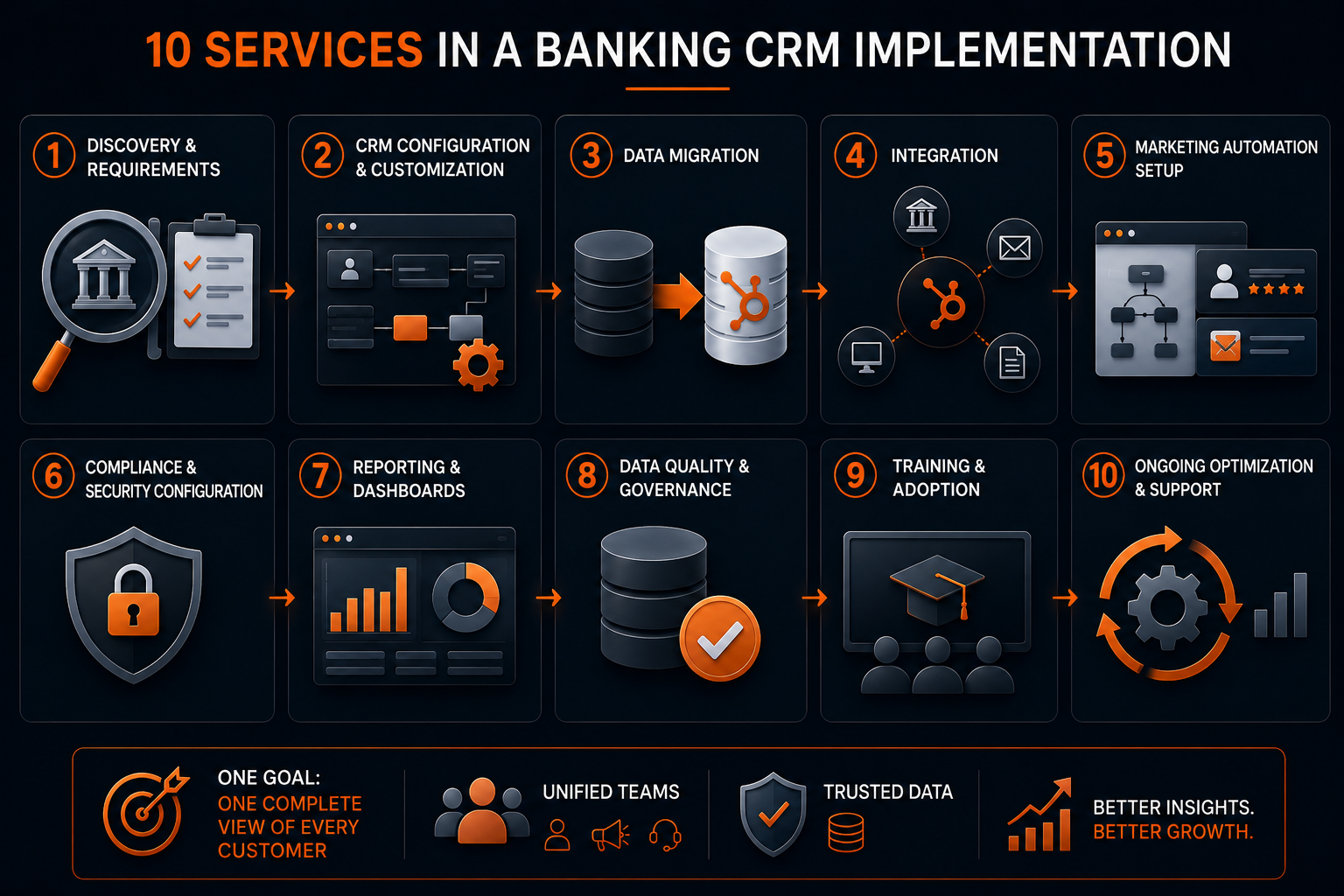
1. Discovery and requirements.
This is the systems and data audit that scopes everything else: what data lives where, which teams do what, and what the CRM actually needs to do. It delivers a clear plan before anyone touches a configuration. Almost every serious implementation includes it, and skipping it is the fastest route to a rebuild.
2. CRM configuration and customization
As the name suggests, this is the build itself, piecing together the objects, properties, pipelines, and workflows that make the CRM fit how your bank actually works, instead of forcing your teams around a generic setup.
It delivers a system shaped around how your bank actually runs, your lending, deposit, and service workflows, so your teams move through their work instead of bending it to fit generic software. Some configuration is part of nearly every implementation; how deep it goes depends on how far your processes sit from the platform's defaults.
3. Data migration
A data migration moves your existing customer and account records out of your legacy systems and into the new CRM, cleanly, so the duplicates, gaps, and errors that built up over the years don't come with them. You need this only if you have data to bring over. A greenfield build skips it; a consolidation lives or dies on it.
4. Integration
This is where the CRM connects to your other systems, marketing automation, the core, the loan origination system, so data flows between them instead of sitting in separate tools. It is what stops the new CRM from becoming just another disconnected system, and where most of the real engineering happens.
5. Marketing automation setup
You set up the journeys, lead scoring, and triggered campaigns that turn your unified data into timely outreach. You need this only if marketing automation is part of the scope, plenty of CRM projects handle sales and service first and add automation later.
6. Compliance and security configuration
It sets the permissions, data protection, and controls that keep member and customer data handled in line with GLBA and your own policies. Always relevant for a bank, though the depth varies with how sensitive the data and how strict the institution.
7. Reporting and dashboards
The reports and dashboards built here give every team, and leadership, the same numbers to work from. That shared visibility is the difference between a CRM that informs decisions and one that just stores records.
8. Data quality and governance
This work keeps your data trustworthy over time, deduplicating records, matching them on a stable identifier, and naming a single source of truth for each field. It should be in every implementation, and it is the one most often scoped down to save time, and the one banks most often regret cutting.
9. Training and adoption
None of the above pays off if your teams don't use the system, so this step teaches people to work in the CRM and builds it into their daily process. It matters more than most banks expect, because poor adoption, not software limitations, is the most common reason CRM projects fall short.
10. Ongoing optimization and support
Last, the honest one. This happens after go-live rather than during the build, refining workflows, adding use cases, and fixing what real usage exposes. It is a separate, ongoing engagement rather than part of the implementation itself, so treat it as a retainer, not a line item in the build.
How Does a Banking CRM Implementation Connect Marketing Automation and Compliance?
A banking CRM implementation connects marketing automation and compliance by making three services work as one: integration moves the data, marketing automation acts on it, and compliance governs it.
Run separately, they leave you with a CRM that markets in ways compliance later has to unwind. Run together, they turn it into one connected system.
- Integration moves member and customer data between the CRM, the core, and the marketing platform, so every tool works from the same record.
- Marketing automation setup turns that unified data into journeys, lead scoring, and triggered campaigns.
- Compliance and security configuration governs what data is allowed to flow, who can see it, and how consent and disclosures are honored across every automated message.
Together, they make the CRM the hub of your stack instead of one more silo, a system where data flows and every message stays compliant.
What Does a Banking CRM Implementation Look Like in Practice?
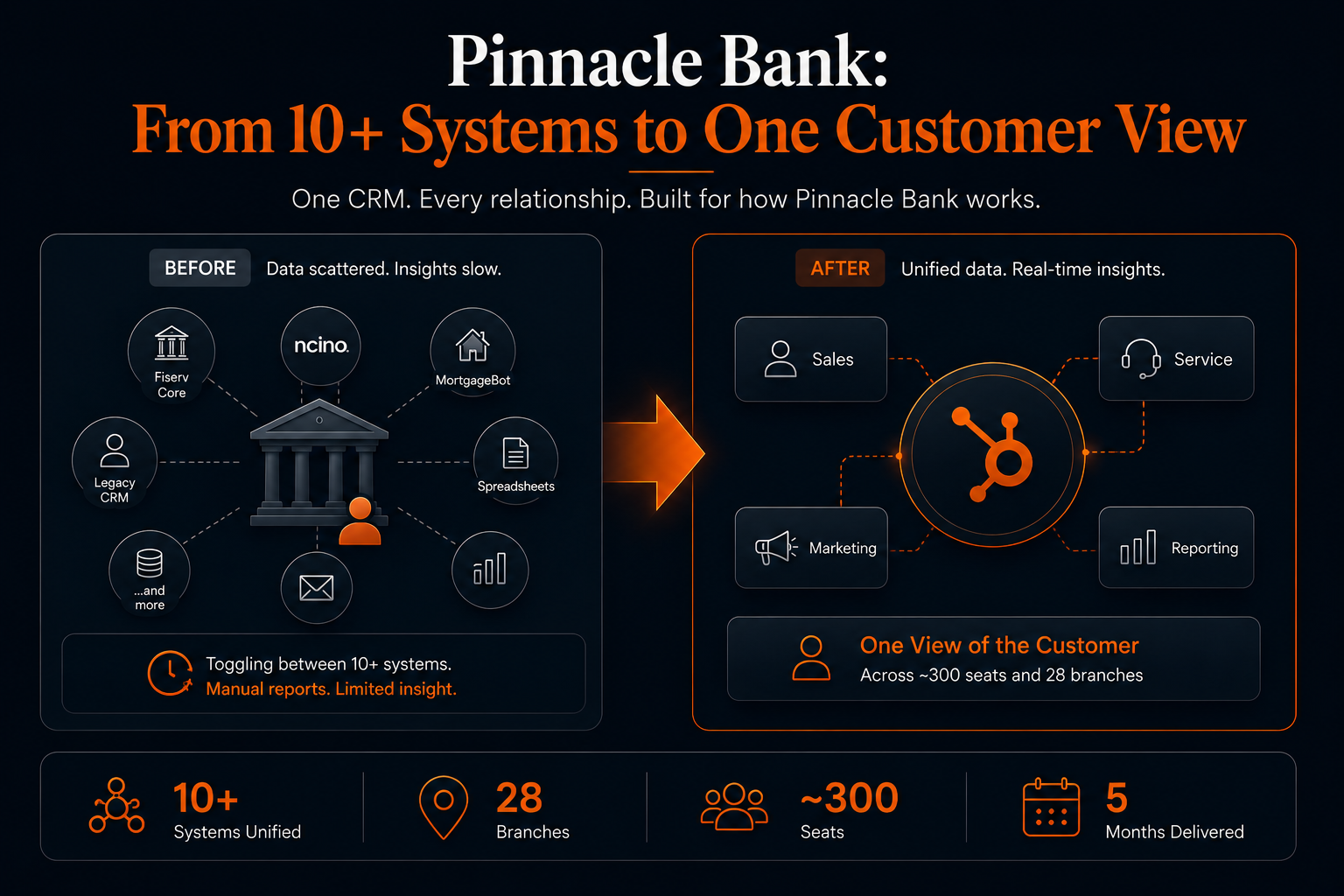
A real project shows how these services come together, and which ones a bank actually needs. Take Pinnacle Bank, a $2 billion community bank that came to Mole Street with customer data spread across more than ten disconnected systems. Bankers were toggling between the Fiserv core, nCino, MortgageBot, and a legacy CRM just to answer a basic customer question, and reporting meant manual SQL queries and sixty-plus monthly PDF scorecards.
The implementation was scoped to exactly what Pinnacle needed, not a standard package:
- Data migration and integration: a nightly data pipeline from the Fiserv core into HubSpot, with lending data integrated from nCino.
- Configuration: custom banking objects for products and services, referrals, and households, so the CRM matched how the bank actually works.
- Service setup: Service Hub ticketing to handle disputes and treasury management.
- Reporting: executive dashboards that replaced those sixty-plus manual PDF scorecards with live, drill-down views.
The result was a single view of the customer across roughly 300 seats and 28 branches, unifying more than ten systems into one platform, delivered in about five months. You can read the full Pinnacle Bank case study for the detail.
The Right Services Depend on Your Bank's Needs
Not one of these ten services is mandatory, and no two banks need them in the same mix. The right implementation is the one scoped to your situation. Whether you have legacy data to migrate, whether marketing automation is in play, whether you have the in-house capacity to run the build, and how far your processes sit from the platform's defaults.
This is where a specialist implementation partner comes in. Firms like Mole Street focus on a single platform, HubSpot in our case, and start with your tech stack rather than a fixed package. They map the systems you already run, match them against what your teams actually need, and scope an implementation tailored to your bank.
That is how we approached Pinnacle Bank, a $2 billion community bank: we scoped its build to exactly what it needed and unified customer data from more than ten systems into one view across 28 branches.
So before you sign off on a scope, hold it against your own bank. Ask which of the ten you need now, which can wait, and which you can skip. Get that right, and you buy exactly the implementation your bank needs.
Not sure which services your bank actually needs?
Schedule Your consultation Now
Frequently Asked Questions
How long does a banking CRM implementation take?
A banking CRM implementation typically takes from a few weeks to several months, depending on scope. A focused build covering configuration, core integration, and training can be done in weeks to a couple of months, while a full engagement with data migration, marketing automation, and multiple integrations runs several months. An upfront data audit gives you an accurate timeline.
Can a bank implement a CRM in-house, or does it need a partner?
A bank can implement a CRM either in-house or with a partner, depending on the complexity. Banks with a strong internal CRM admin can handle configuration and light integration themselves. A partner earns its place on the harder work, such as complex integration, data migration, compliance configuration, and driving adoption.
Is HubSpot suitable for banks?
Yes, HubSpot is suitable for banks when it is implemented for the bank's needs, with the right integrations, compliance controls, and data governance in place. The suitability comes from the implementation, not the platform alone.
What is not included in a banking CRM implementation?
Ongoing optimization and long-term support usually sit outside the implementation as a separate engagement. So does anything the initial scope defers, such as marketing automation or extra integrations a bank adds in a later phase.
How much does a banking CRM implementation cost?
The cost of a banking CRM implementation depends on scope, a focused build costs far less than a full engagement involving data migration, marketing automation, and multiple integrations. The initial audit is what produces an accurate quote for your bank.
By: Harry Maule